Choosing a bag
Backpack or shoulder bag for work: compare your real commute
Your journey and what you carry make a better starting point than a dress code alone.

In this guide
A work bag needs to handle the journey as well as the desk. A short walk from a car, a crowded train and a long trip on foot create different priorities. Start with a normal working day, including the belongings you bring home, and compare both styles against that routine.
Walk through the journey, step by step
List the points where you need free hands, quick access or a compact shape: opening a door, showing a ticket, standing on a train or carrying a coffee. A backpack leaves both hands free when worn on both shoulders. A shoulder or crossbody bag can make some items easier to reach without taking it off.
In crowded spaces, take the bag off when needed and keep it where you can see and control it. Neither style is automatically theft-proof. Check how the pockets close rather than relying on the position of a strap.
Compare the load you actually carry
Weigh your normal contents, then add the bag’s empty weight. A laptop, charger, bottle and lunch can make a substantial load even if the bag itself looks compact. Two backpack straps can spread the load between shoulders; comfort still depends on fit, padding, adjustment and time spent carrying.
Helsinki is listed at approximately 1.2 kg empty, while Coda is approximately 1.3 kg. These are specifications to include in your calculation, not a comfort test. When comparing shoulder bags, also check the strap width and adjustment range.

Make the laptop check non-negotiable
Measure the computer with the sleeve or shell you intend to use. Compare that with the clear internal compartment and its opening. External bag dimensions cannot prove that a device fits, even if the product name mentions a screen size.
Use our laptop measurement checklist. If the compartment dimensions are missing, ask us to confirm them with your laptop model and measurements. Allow room for the charger without pressing it against the computer.
Choose a layout you can keep organised
A generous main compartment is useful for a jumper or lunch box; smaller pockets help keep keys and cards from collecting at the bottom. Think about what must remain upright and what should stay separate. See our daily organisation guide for a simple three-zone system.
Then choose the finish you enjoy using. Canvas backpacks and leather backpacks offer different textures, but the full construction matters more than material stereotypes. Our canvas and leather comparison covers weight and care. A convincing work bag is one that looks right to you and makes the journey easier.
Questions answered
Is a backpack suitable for an office?
That depends on your workplace and preferences. A simple shape, suitable size and finish you like can work well; check practical fit before choosing by appearance.
Should I buy a bigger bag for occasional travel?
Only if that extra capacity is useful often enough. Compare your normal commute first, then decide whether a separate weekend bag makes more sense.
Explore the models
See the current colours, specifications and product photographs.


Keep exploring

How to choose a laptop backpack that actually fits
Screen inches are only the start. Three measurements and a quick compartment check make a better shortlist.
Read the guide
How to organise a work bag so everything has a place
Three simple zones, fewer loose items and a quick reset at the end of the day.
Read the guide
Canvas or leather backpack: which suits your everyday carry?
Texture, weight, rain and upkeep: the differences that matter when you choose an everyday backpack.
Read the guideDIYION / Shoulder bags & messenger bags
Put the advice into practice
Compare the details, colours and dimensions in the collection.
Shoulder bags & messenger bags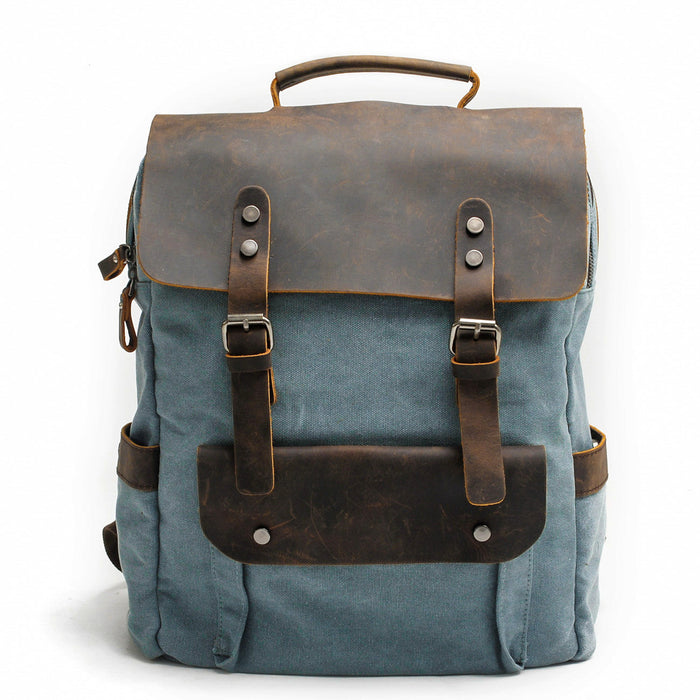
Join the conversation
Comments are reviewed before publication. Your email address will not be displayed.